Are you preparing to open an online store? Opening and running a successful online store is a challenging task for many people. You may be confused about how to set up your online store quickly, how to list products to achieve the best sales results, or how to effectively Manage inventory efficiently. Don’t worry, in this articleFuuffy will share all the necessary knowledge from setting up a store to running an online store! Teach you step by step how to use Shopify, share practical product listing strategies, and how to improve your online store exposure and customer satisfaction. Now, continue reading the shopify tutorial!
Creating your own e-commerce website on the Internet may seem a bit difficult, but in fact, if you use a program like Shopify Platform, this process will become very simple. Here are the steps on how to use Shopify to quickly set up your online store.
You can find it on the Shopify website Find the registration page and select the registration method. If you select email, continue to enter your email address and password.
After registration is completed, you will enter your Shopify backend, and then you can set up your online store. Follow the setup guide to complete your personalized store settings step by step. Shopify provides many free and paid themes for you to choose from. You can choose a suitable theme according to your brand style and product type.
After choosing a theme, you can start adding products. In the ""Products"" menu, you can click ""Add Product"" and enter the product's name, description, price and image. You can also set inventory and shipping settings for your items.
When you log in to Shopify, the first thing you see is the online store’s dashboard, which will show you Important data of the online store, including total number of orders, total number of visitors, conversion rate, etc. Through this data, you can clearly understand the operating status of your online store. On the left side of the dashboard, you will see a navigation menu. In this menu you can find various tools for managing your online store.
A place to manage your products. Here, you can add new products, edit existing product information, or classify products into different collections. You can also set inventory and shipping settings for your items.
View and manage your orders. After your customer places an order, you can view the order details here, including product, quantity, price, customer information, etc. You can also set the status of your order here, such as marking it as shipped or completed.
View and manage your customer information. Here you can view each customer's order history and edit their contact details and address. You can also classify customers into different customer groups here to facilitate targeted marketing activities.
Provides a complete set of data analysis tools so that you can have an in-depth understanding of the operation status of your online store. You can view various data reports, such as sales reports, visitor reports, behavior reports, and more.
You can set your payment method, shipping method, tax settings, etc. here. You can also set your domain name and SEO settings here.
Shopify's backend design is very user-friendly, allowing you to easily manage your online store. By spending a little time familiarizing yourself with these features, you'll be able to run your online store more efficiently.
A successful online store not only needs to have attractive products, but also needs to have an effective product shelf strategy. On the Shopify platform, there are many tools and strategies that can help you increase sales. Here are some product listing strategies you can implement on Shopify that may also become your secret weapon to increase sales.
In an online store, customers cannot touch and try products in person, so they need to rely on photos and descriptions of the products to decide whether to buy. You should provide clear and professional photos of your products, and include photos from multiple angles and details. If you are selling clothing, in addition to front photos, you should also provide back and side photos to show off the design and cut. Such multi-angle photos can give customers a better idea of what the product looks like. For product descriptions, you need to provide enough information for customers to understand the functions and characteristics of the product, and emphasize the advantages and uniqueness of the product. For example, electronic products should provide detailed descriptions of functions, performance and compatibility in addition to basic specification information.
Collection is a tool that can organize related products together. You can create collections based on product type, style, price, etc. When customers are looking for specific items, they can filter through the collection to find what they need.
Pricing strategy is also an important factor affecting sales. You need to set the price of your goods based on factors such as the cost of your goods, market prices, competitor prices, and other factors. You can also use promotions to adjust prices, such as offering discounts or tie-in shopping.
Ratings and reviews can increase customers' trust and influence their purchasing decisions. You should encourage your customers to leave reviews and reviews and display these reviews publicly. You should also respond promptly to customer reviews to show that you value their opinions.
A successful online store requires continuous optimization and adjustment. You should constantly improve your strategy based on your sales data and customer feedback.
In the world of online e-commerce, product pages are like your store windows. This is where customers first come into contact with and learn about your products, so an effective product page can greatly increase your conversion rate. Below, I will share with you how to optimize your product pages on the Shopify platform.
High-quality product images are essential. People are visual creatures, and an attractive picture can attract customers' attention far more than a long product description. On your product pages, you should display clear, professional product images that provide multiple angle views and close-ups of details. Remember, this is the only image of your product that customers will see before purchasing.
Secondly, you need to provide a complete and convincing product description. An excellent product description goes beyond simply listing the product's features. It also needs to describe the product's advantages and explain why customers should buy the product. When writing product descriptions, you need to consider your target audience and use language that is easy for them to understand and find interesting.
Customer reviews are a key tool for increasing conversion rates. During the shopping decision-making process, customers often refer to other people’s reviews. Therefore, you should encourage customers to leave reviews after purchasing a product and display these reviews on the product page.
It’s also important to use clear and easy-to-use call-to-action buttons. Your “Add to Cart” or “Buy Now” button should be prominently placed on the page and use an eye-catching color. This will remind and guide customers to make a purchase.
Don’t forget to optimize your product pages for SEO. Use relevant keywords in your product titles, descriptions, and meta descriptions to help search engines find your product pages and drive more traffic.
In summary, optimizing your product pages requires you to consider many factors, from visual elements to content text, from customer reviews to call-to-action buttons, each part is appropriate Improving conversion rates has a significant impact. I hope these Shopify tutorials can help you create more attractive product pages and successfully increase your sales conversion rate.
Data analysis is crucial for any kind of online business, and Shopify stores are no exception. Through an in-depth understanding of data, we can find out where our online store excels, where it needs improvement, and develop the most effective marketing strategy. Next, I will share how to use Shopify’s analytics tools to make your online store successful.
Shopify automatically tracks and displays various visit data for your store. This data includes number of visitors, page views, average order value, and more. These are important tools for you to gain insights into customer behavior and ultimately improve marketing effectiveness.
After you understand the basic data, you can start to think about how to use this data to improve sales. You can see which products or pages have the most views, and display these popular products in prominent locations, or launch related promotions.
One of Shopify's advanced analysis tools is the Sales Source report. This report will show you where your customers found your store, whether it was social media, a search engine, or just typing in your URL. This data can help you evaluate the effectiveness of your marketing campaigns and pinpoint your target market.
In addition to the above tools, Shopify also provides customer behavior analysis functions. This feature allows you to understand your customers' shopping habits, such as shopping time, types of goods purchased, etc. This information allows you to provide more thoughtful service and increase customer satisfaction and loyalty.
Shopify's analysis tools allow you to easily master various data about your online store, thereby formulating accurate and effective marketing strategies to make your online store successful.
Effective inventory management is crucial to running a successful online store. Inventory management ensures you have enough inventory to meet customer demand while avoiding overstock or out-of-stock issues. On the Shopify platform, you have access to a range of powerful tools to help you manage your online store inventory effectively.
In the ""Products"" menu in the Shopify backend, you can enter the settings page of each product and enable the inventory tracking function. In this way, when a customer places an order to purchase goods, the system will automatically track the inventory quantity and make corresponding adjustments.
To avoid running out of inventory, you can set inventory alerts in Shopify. When the inventory quantity falls below the warning value, you will receive a notification to remind you to restock. This way you can replenish inventory in a timely manner to ensure you can continue to meet customer demand.
Shopify also provides some inventory forecasting and analysis tools to allow you to better manage your inventory. These tools can help you predict inventory needs and avoid overstock or out-of-stock situations. You can develop inventory replenishment plans based on sales trends and customer behavior to achieve optimal inventory management.
In addition to internal inventory management, Shopify also provides supplier management tools so that you can better cooperate with suppliers. You can enter supplier information into Shopify, including contact information and ordering information. This way, when inventory falls below warning levels, you can easily contact your supplier for restocking.
Shopify's inventory reporting and analysis features can help you gain insights into the status of your inventory. You can check inventory levels, inventory value, sales velocity and other indicators, and make corresponding inventory management strategies based on these data.
Shopify provides a powerful set of inventory management tools that allow you to easily manage and track inventory. Through effective inventory management, you can ensure adequate inventory, avoid stockouts and overstocks, improve customer satisfaction, and keep your online store running smoothly.
In the highly competitive e-commerce market, providing a first-class shopping experience is the key to attracting and retaining customers. A good shopping experience improves customer satisfaction, increases conversion rates, and promotes customer loyalty. On the Shopify platform, you can create an excellent shopping experience through a series of strategies and features.
An intuitive and easy-to-navigate website makes it easy for customers to find what they need. You should design a clear menu structure, organize products into categories, and provide convenient search functions. Also, ensure that pages load quickly to provide a seamless browsing experience.
Use high-quality product images and engaging descriptions to showcase your products on the website. Provide pictures from multiple angles and highlight the features and benefits of the product in the description. This allows customers to better understand the product and increase their purchase intention.
Image source: Linjer
A cumbersome checkout process can cause customers to abandon their purchase. Therefore, you should design a streamlined checkout process with fewer steps to fill in information. Offer multiple payment options and keep your checkout page safe and secure. Also, provide fast and accurate shipping options and cost calculations so customers know the final price at checkout.
Providing quality customer support is key to building a great shopping experience. You should provide easy-to-find contact information on your website, such as an email address or customer service hotline. Responding to customer inquiries and questions should be prompt and friendly. In addition, you can further enhance communication with your customers by providing answers to FAQs, expert product advice, or live chat support.
Use Shopify's personalization and recommendation features to provide customers with a customized shopping experience. Recommend relevant products or provide personalized coupons based on customers' purchase history, preferences and browsing behavior. This increases customer engagement and provides a more thoughtful shopping experience.
Providing a first-class shopping experience is an important part of building a successful e-commerce brand. Through strategies such as intuitive website navigation, eye-catching product display, streamlined checkout process, excellent customer support, personalization and recommendation features, you can create a superior shopping experience on the Shopify platform and increase customer satisfaction. and promote business growth.
For online store operators, shipping costs and efficiency have always been important considerations. In this regard, Fuuffy Cargo provides you with exclusive personalized logistics solutions. Based on your shipping needs, cargo volume and destination, we provide you with the most suitable logistics solution to help you save transportation costs while improving your online store. operational efficiency.
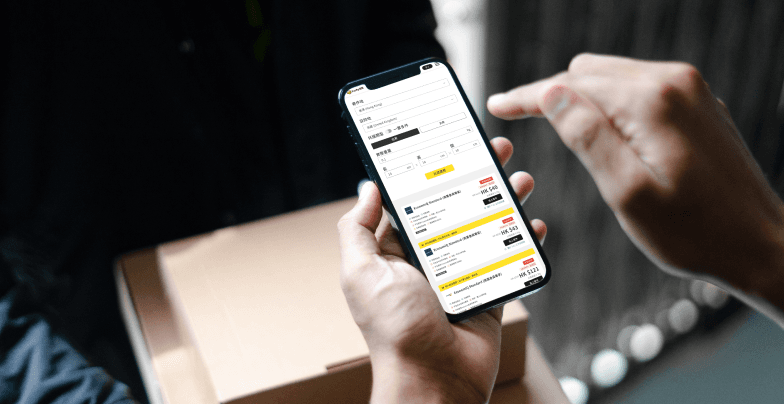
Fuuffy provides a free service to compare the shipping costs of multiple international express delivery companies. You can easily compare the shipping costs of UPS, USPS, DHL, FedEx and other international express delivery companies on one platform. , saving you 80% of time! Price now</ p>
When you place an order through the Fuuffy online platform, you can enjoy exclusive discounts from all international express companies on the platform. This is a preferential price that customers cannot obtain directly from the express company. You can choose the express service that best suits your needs and budget and save on shipping costs.
Fuuffy provides the function of batch importing excel orders. You can easily import a large number of orders, making the process more efficient and convenient, saving you time and energy.
Use Fuuffy to compare international express delivery prices and enjoy exclusive preferential prices. You can save 30% of logistics costs and improve online store operation efficiency! Get a free quote now
Related articles
2. Amazon novice seller Guide: Solve 10 Common Amazon Problems to Increase Sales!
"
Share


About Fuuffy
Fuuffy is an international express delivery pricing and reservation platform. With just one account, you can compare shipping costs from 16 international express companies (UPS, DHL, FedEx, etc.) and enjoy exclusive discounts of up to 70%, significantly saving shipping costs. Fuuffy also provides door-to-door pickup service, allowing you to complete the entire electronic customs declaration and shipping process in about 5 minutes at home or office. Fuuffy can be delivered to 180 countries and regions around the world within 3 working days at the fastest, providing you with the fastest and smoothest express delivery service!
Send parcels overseas from Hong Kong
How to avoid tariffs?
The tax exemption amounts vary from country to country. As long as you master the secret and keep the value of your items within the designated tax-free amount, you can easily save on customs duties. Fuuffy has compiled tax-free strategies for popular shipping routes to teach you how to save more money!